If you’re receiving orders from Shopify, eBay, Wix, Amazon, Woocommerce, TikTok Shop or another connected store but and the full orders information are not appearing inside Sell The Trend for fulfillment, the most common reason is that the product was added directly to your store and has not been imported into Sell The Trend.
Sell The Trend can only fulfill orders for products that exist inside your Sell The Trend account and have a fulfillment source assigned.
This also applies if you see a link mentioning "can't manage your order?" inside the My orders page.
Step 1: Import the Product into Sell The Trend
Go to:
My Products
https://www.sellthetrend.com/dashboard/manage/products
Click Import From Shopify (or the appropriate platform such as eBay, Wix, etc.).

Select the store containing the product and locate/search for the product that received the order.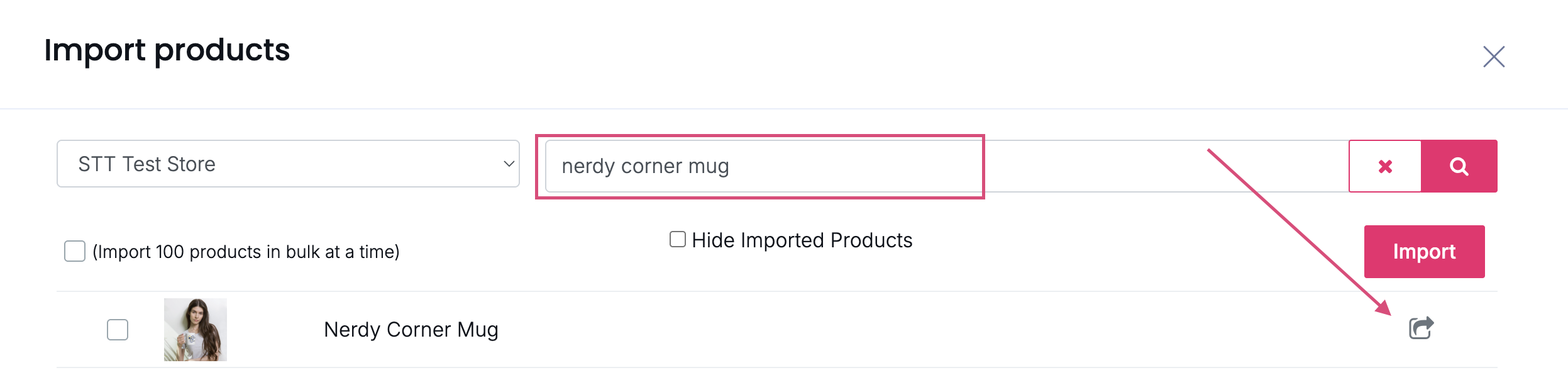
Import the product into Sell The Trend.
Once imported, the product will appear in your My Products list.
Step 2: Assign a Fulfillment Source
After the product has been imported:
- Locate the product in My Products
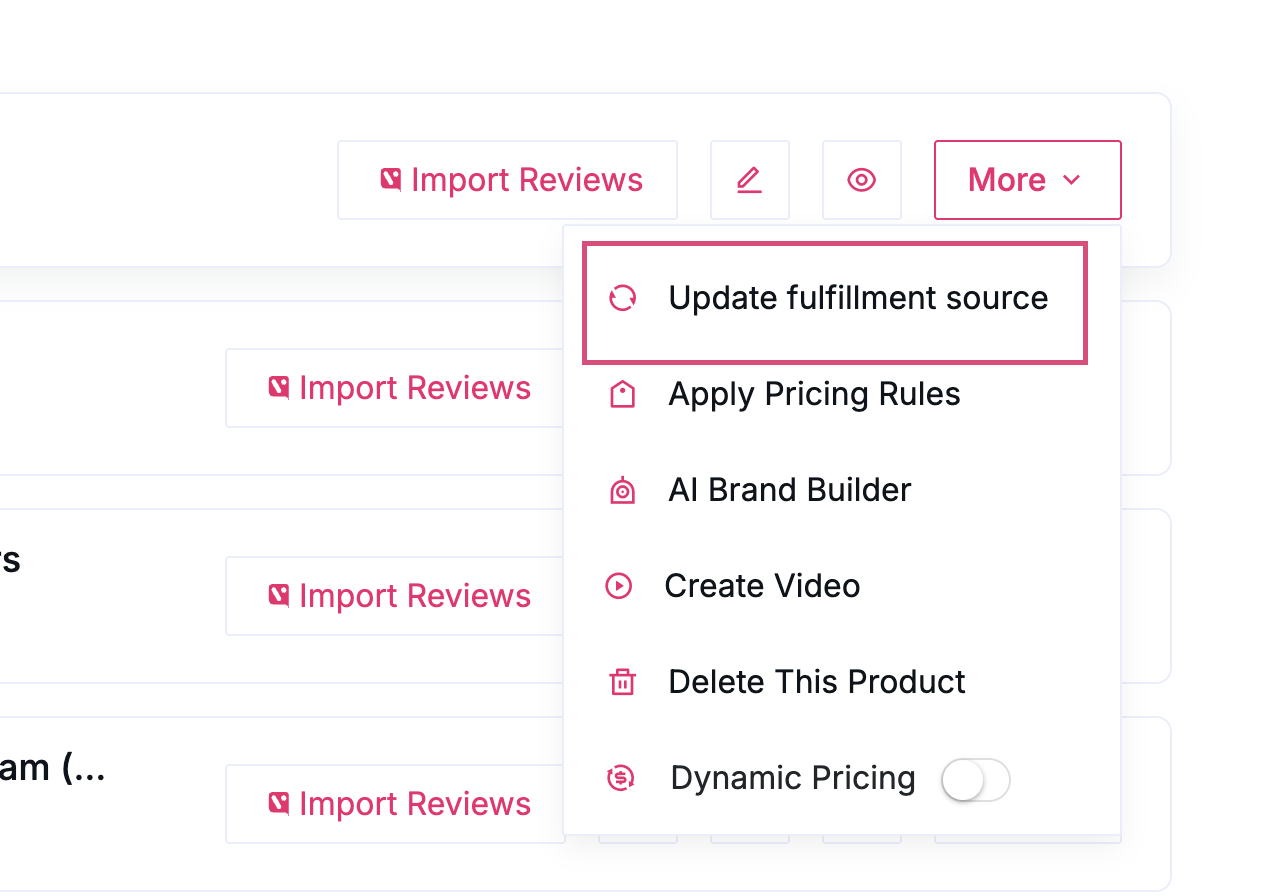
- Click More
- Select Update Fulfillment Source
- Choose a supplier/fulfillment source for that product
- Save your changes
Step 3: Process Orders
Once the product exists inside Sell The Trend and has a fulfillment source assigned, current and future orders for that product will be available for processing through Sell The Trend.
Why This Happens
Products added directly to Shopify, eBay, Wix, or other platforms are not automatically linked to Sell The Trend fulfillment.
Sell The Trend needs:
- The product imported into Sell The Trend
- A fulfillment source assigned to that product
before it can automate the fulfillment process.
If a product is not imported and connected to a supplier, the order cannot be fulfilled through Sell The Trend until those steps are completed.
Was this article helpful?
That’s Great!
Thank you for your feedback
Sorry! We couldn't be helpful
Thank you for your feedback
Feedback sent
We appreciate your effort and will try to fix the article