The Staff Accounts feature allows you to invite team members, virtual assistants (VAs), employees, or partners to help manage your Sell The Trend account without sharing your primary login credentials.
Each staff member receives their own login, making it a safer and more professional way to collaborate with your team.
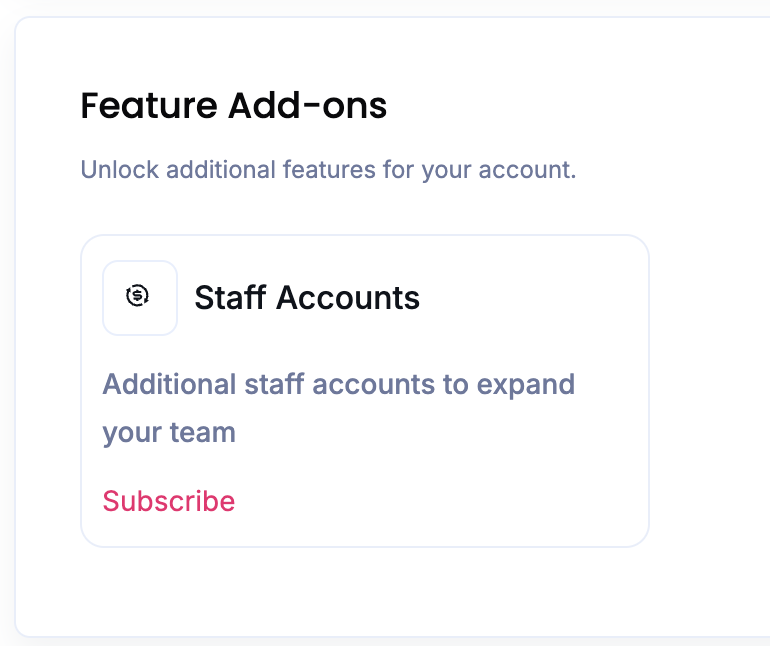
How to Subscribe to the Staff Accounts Feature
The Staff Accounts feature is available as a paid add-on subscription.
To subscribe:
- Go to your Subscription page:
https://www.sellthetrend.com/dashboard/my/subscription - Scroll down to the Feature Add-ons section.
- Locate Staff Accounts.
- Follow the prompts to activate the add-on subscription.
Once activated, you’ll be able to create and manage staff accounts directly from your dashboard.
Step 1: Open Staff Accounts
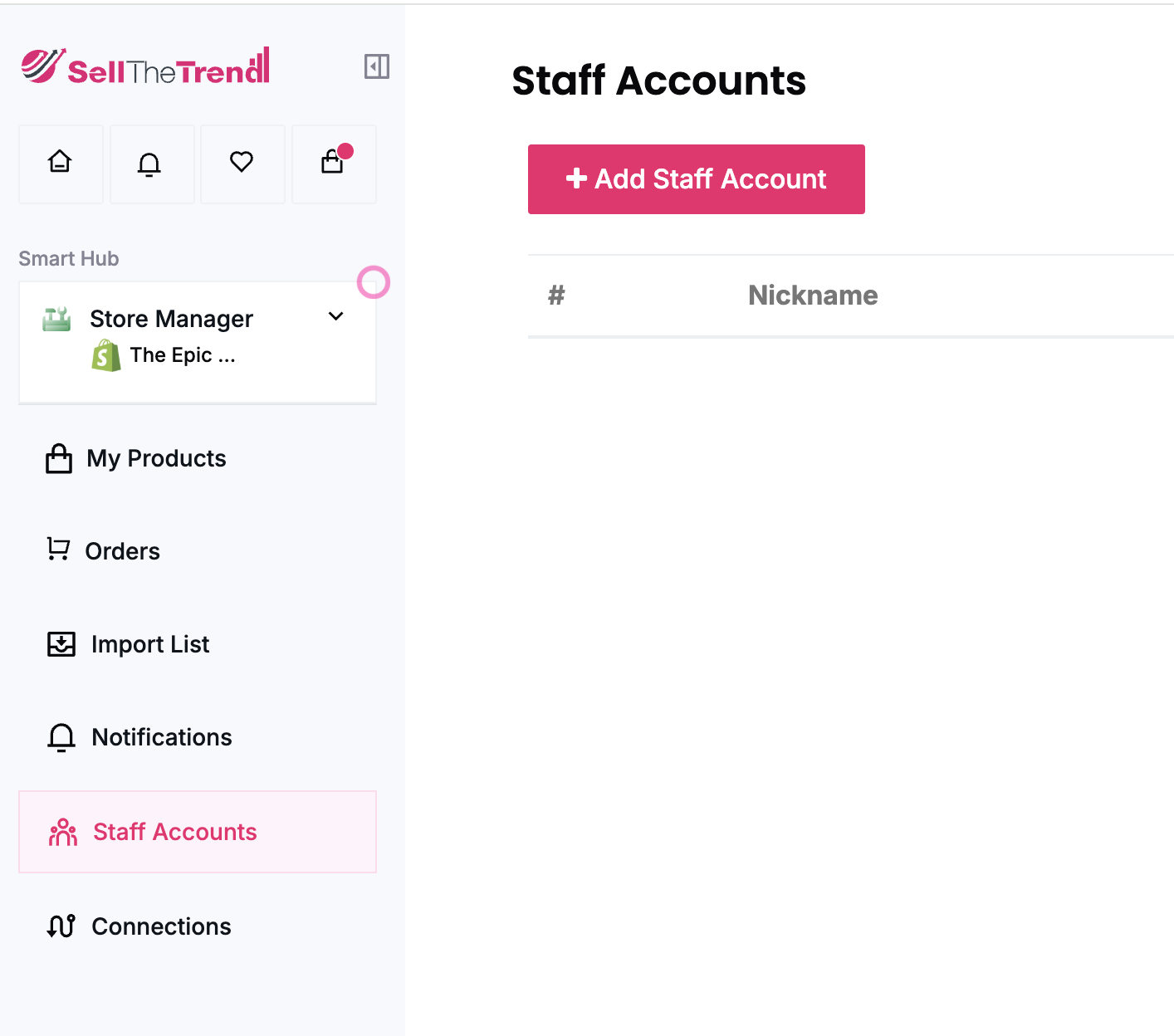
From your Sell The Trend Left Menu:
- Select the Store Manager Hub
- Click Staff Accounts
- Click the Add Staff Account button
Step 2: Send an Invitation
Enter the email address of the coworker or VA you would like to invite.
Once the email address has been entered, click Send Invite.

An invitation email will be sent to the staff member.
Step 3: Staff Member Accepts the Invitation
The invited user will receive an email containing instructions to create their Sell The Trend account.
Once they complete the registration process, they will gain access to your account through their own login credentials.
No password sharing is required.
What Can Staff Members Help With?
After joining your account, staff members can assist with many day-to-day tasks, including:
- Product research
- Importing products
- Editing product listings
- Store customization
- Order fulfillment
- Supplier management
- Product optimization
- General account management
This makes it easy to delegate work while maintaining control of your business.
Was this article helpful?
That’s Great!
Thank you for your feedback
Sorry! We couldn't be helpful
Thank you for your feedback
Feedback sent
We appreciate your effort and will try to fix the article