Sell The Trend makes it easy to launch a Shopify store using AI. This guide will walk you through how to create your AI-powered Shopify store step by step.
✅ Before You Start
To create an AI Shopify store, you must already have an active Shopify plan with Sell The Trend.
? If you don’t have one yet, please subscribe to a Sell The Trend Shopify Plan first before continuing.
Step 1: Go to Create/Add Store
From your Sell The Trend dashboard:
Navigate to the left-hand menu
Click on Create/Add Store
This will open the store connection options.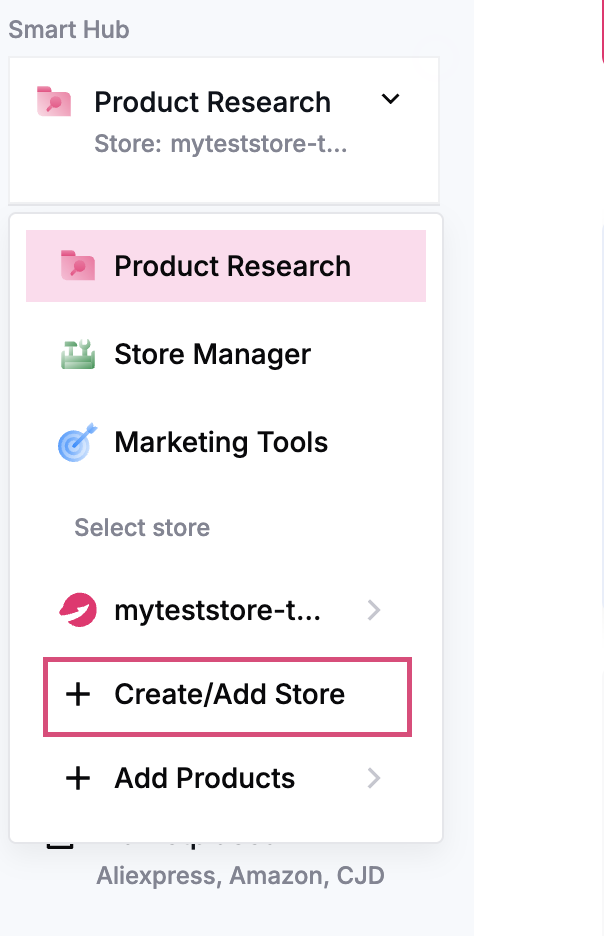
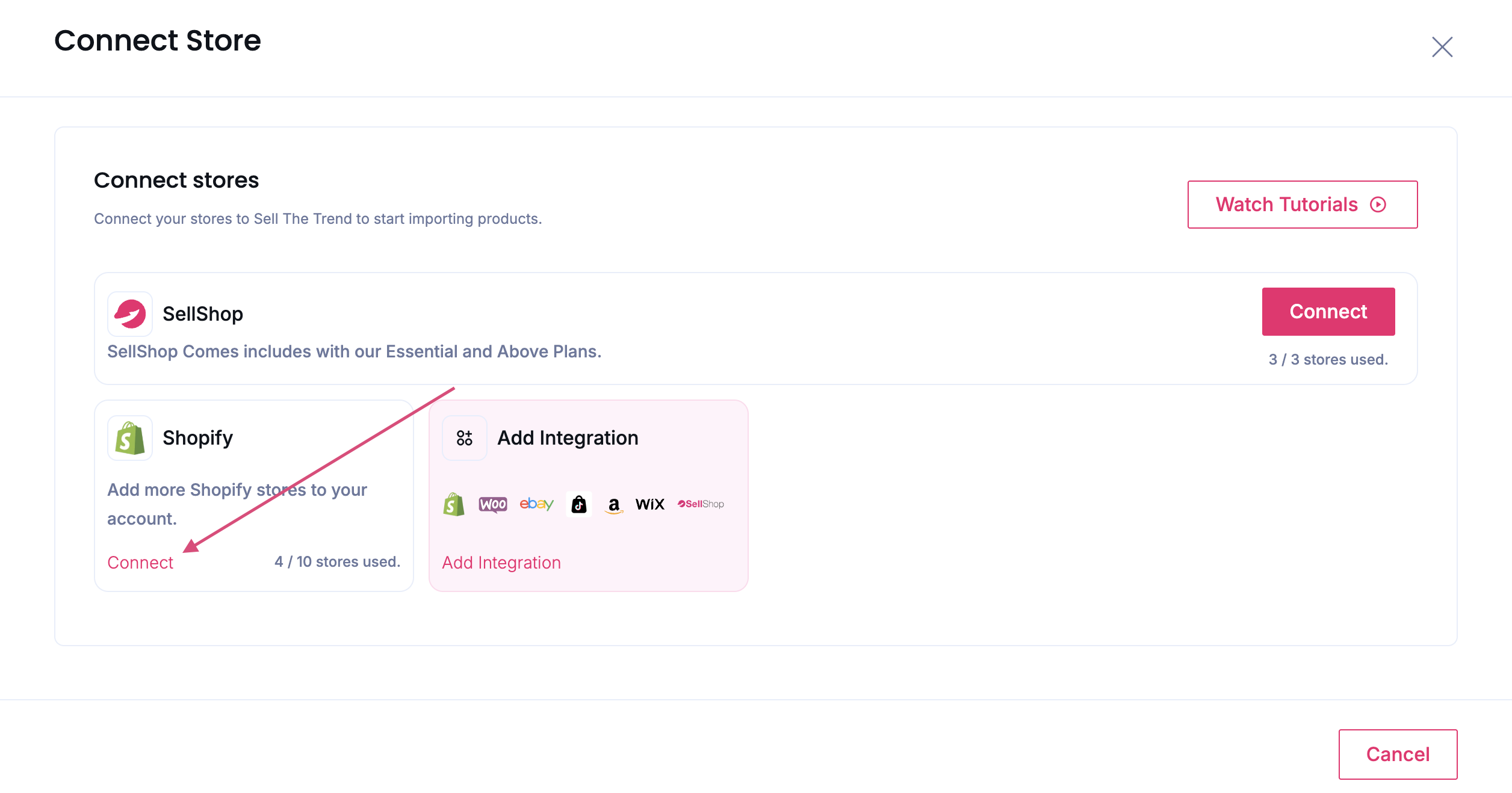
Step 2: Connect Your Shopify Store
In the Connect Store popup:
Locate the Shopify section
Click Connect
You will be prompted to connect your Shopify account. Follow the steps to authorize the connection.
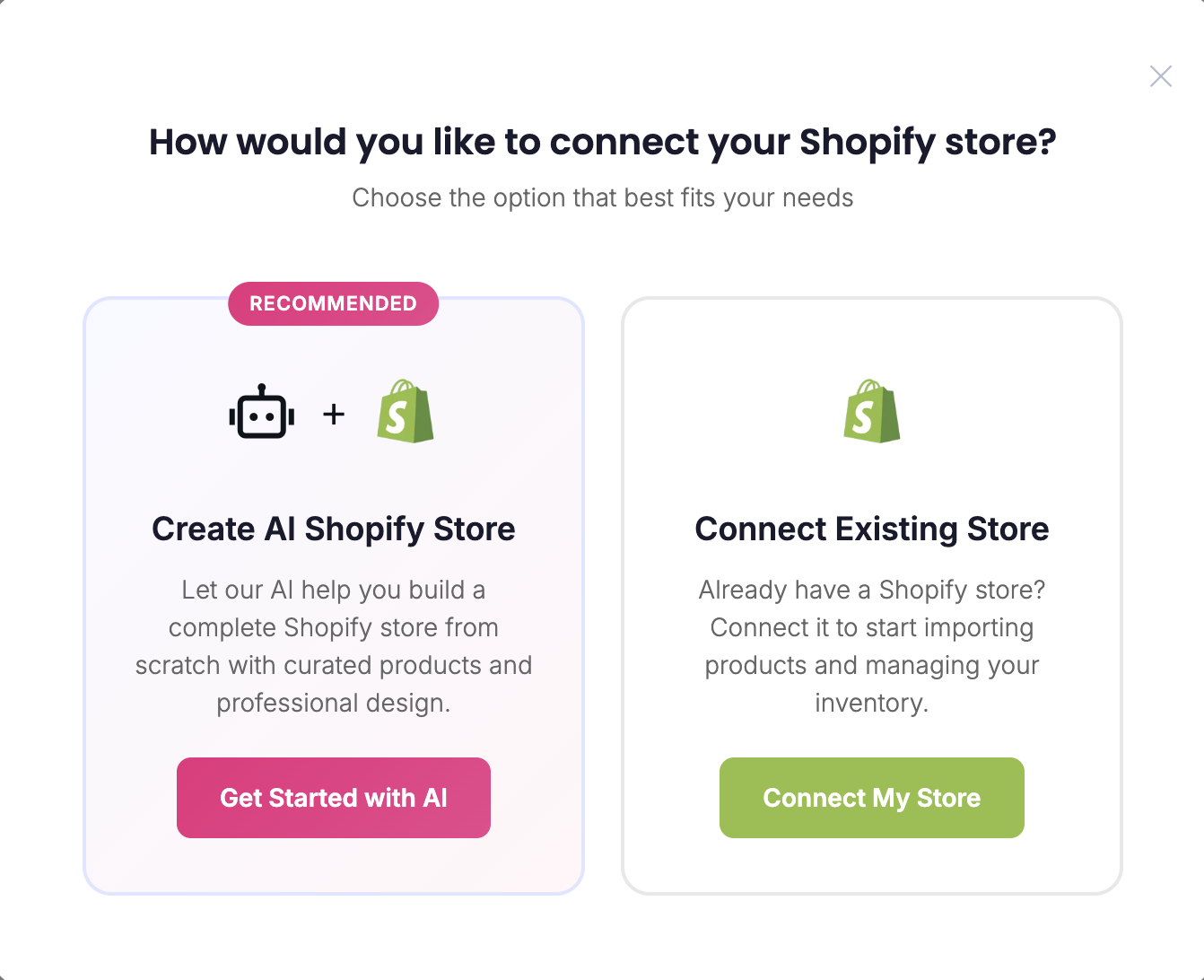
Step 3: Choose AI Shopify Store
Once your Shopify store is connected, a new popup will appear.
Select Create AI Shopify Store
This option allows Sell The Trend to automatically build a Shopify store for you using AI.
? What Happens Next?
After selecting the AI store option:
Your store will be automatically generated
Products and store structure will be created for you
The design will be optimized for a professional look
This helps you skip manual setup and get started faster.
? Summary
To create an AI Shopify store:
Click Create/Add Store
Click Connect under Shopify
Connect your Shopify account
Select Create AI Shopify Store
If you need additional help, you can also check the tutorials inside Sell The Trend Lean Hub or reach out to support ?
Was this article helpful?
That’s Great!
Thank you for your feedback
Sorry! We couldn't be helpful
Thank you for your feedback
Feedback sent
We appreciate your effort and will try to fix the article
