AliExpress AutoPay lets you pay for your AliExpress orders directly from Sell The Trend. Once it’s set up, there’s no need to switch back to AliExpress every time you fulfill an order.
When an order is ready, simply click Pay For Order inside Sell The Trend. Your saved payment method on AliExpress will be charged automatically, making fulfillment faster and more convenient.
Note: This is a one time setup. After AutoPay is enabled, you can pay your AliExpress orders directly from Sell The Trend.
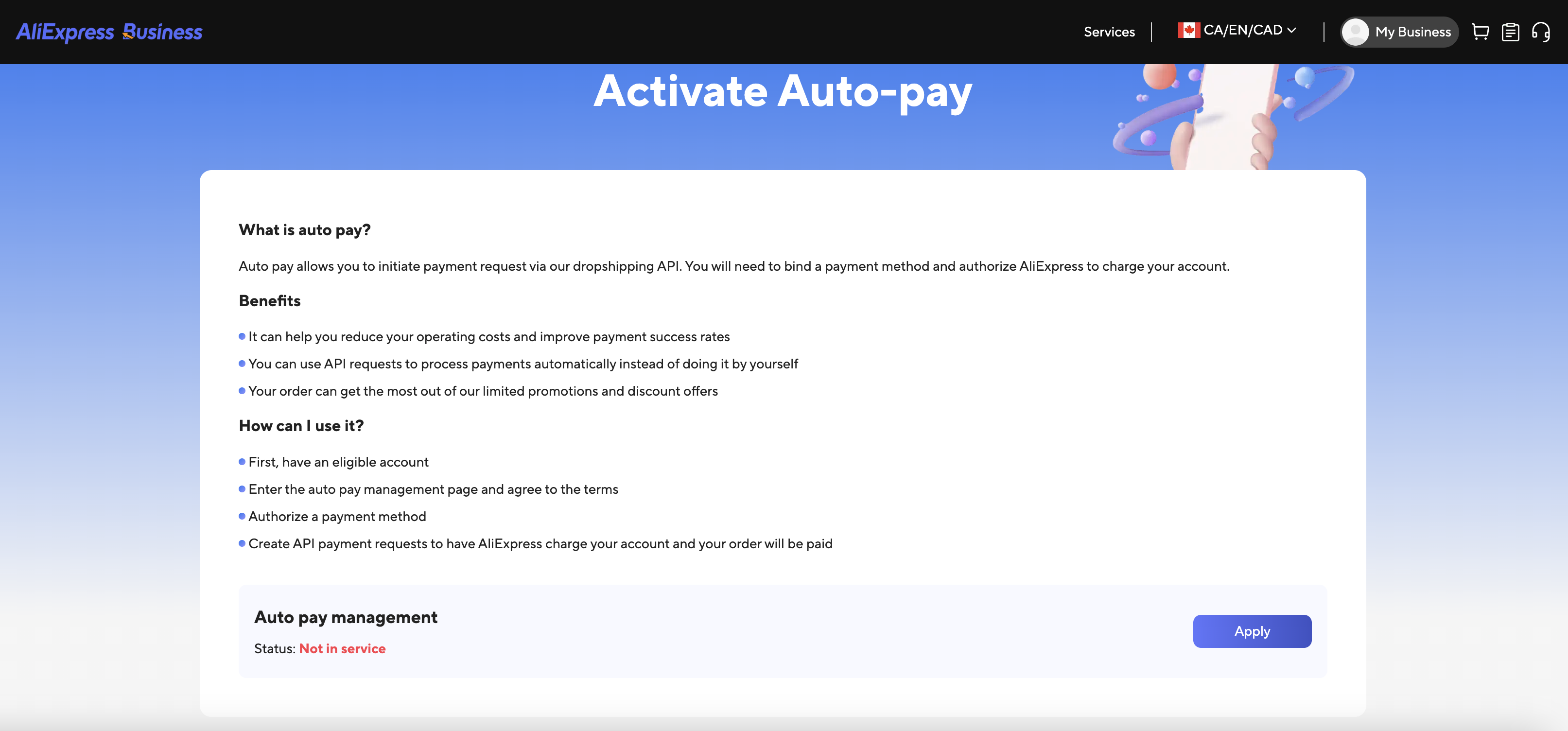
Step 1. Activate AutoPay on AliExpress
Visit the AliExpress AutoPay page:
https://inbusiness.aliexpress.com/app/super-buyer/want-shop/autoPay
Click Apply.
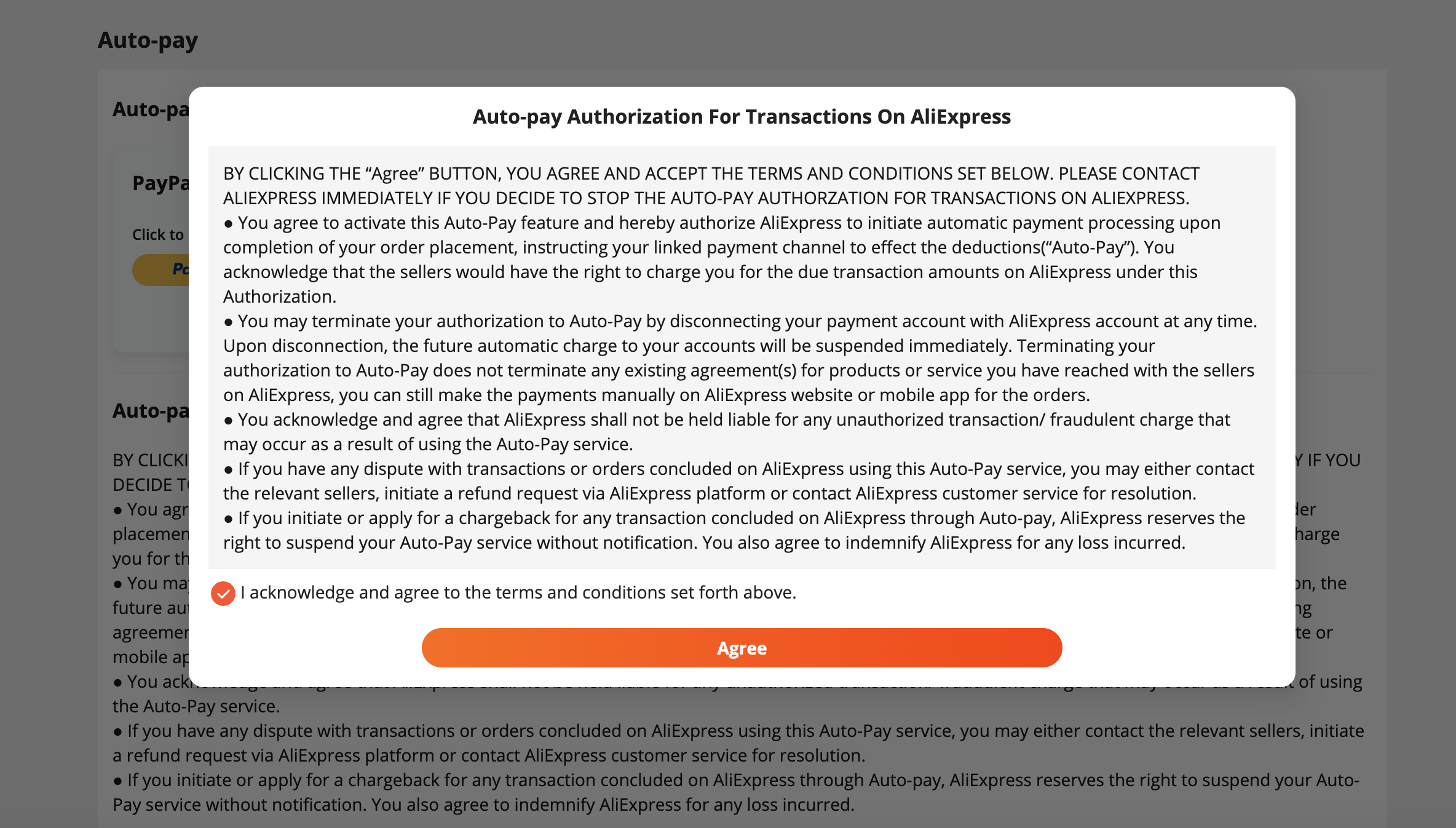
Step 2. Accept the AutoPay Authorization
Read the authorization agreement.
Check the confirmation box.
Click Agree.
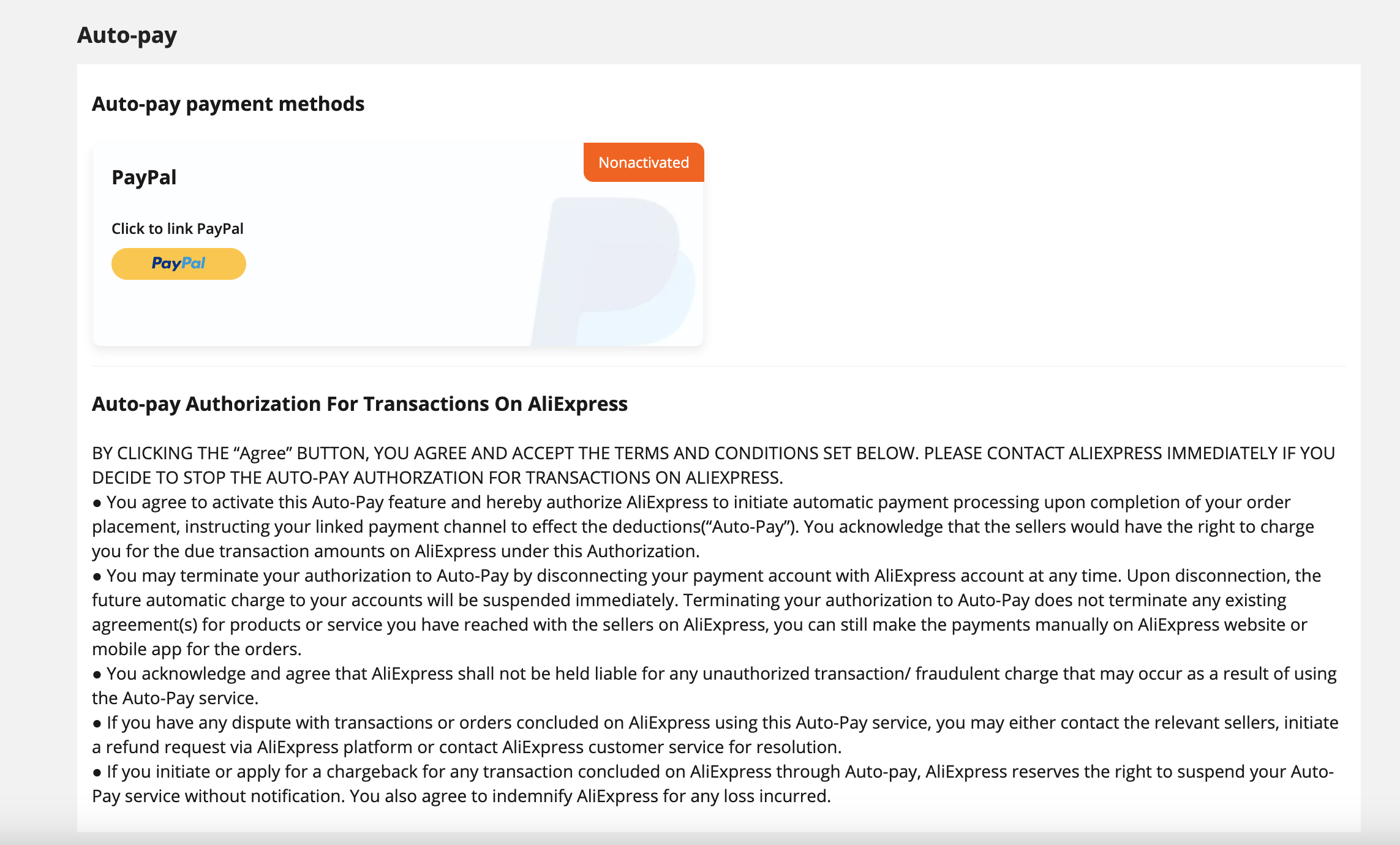
Step 3. Connect a Payment Method
Choose one of the available payment methods for your country or region.
In this example, we’ll use PayPal.
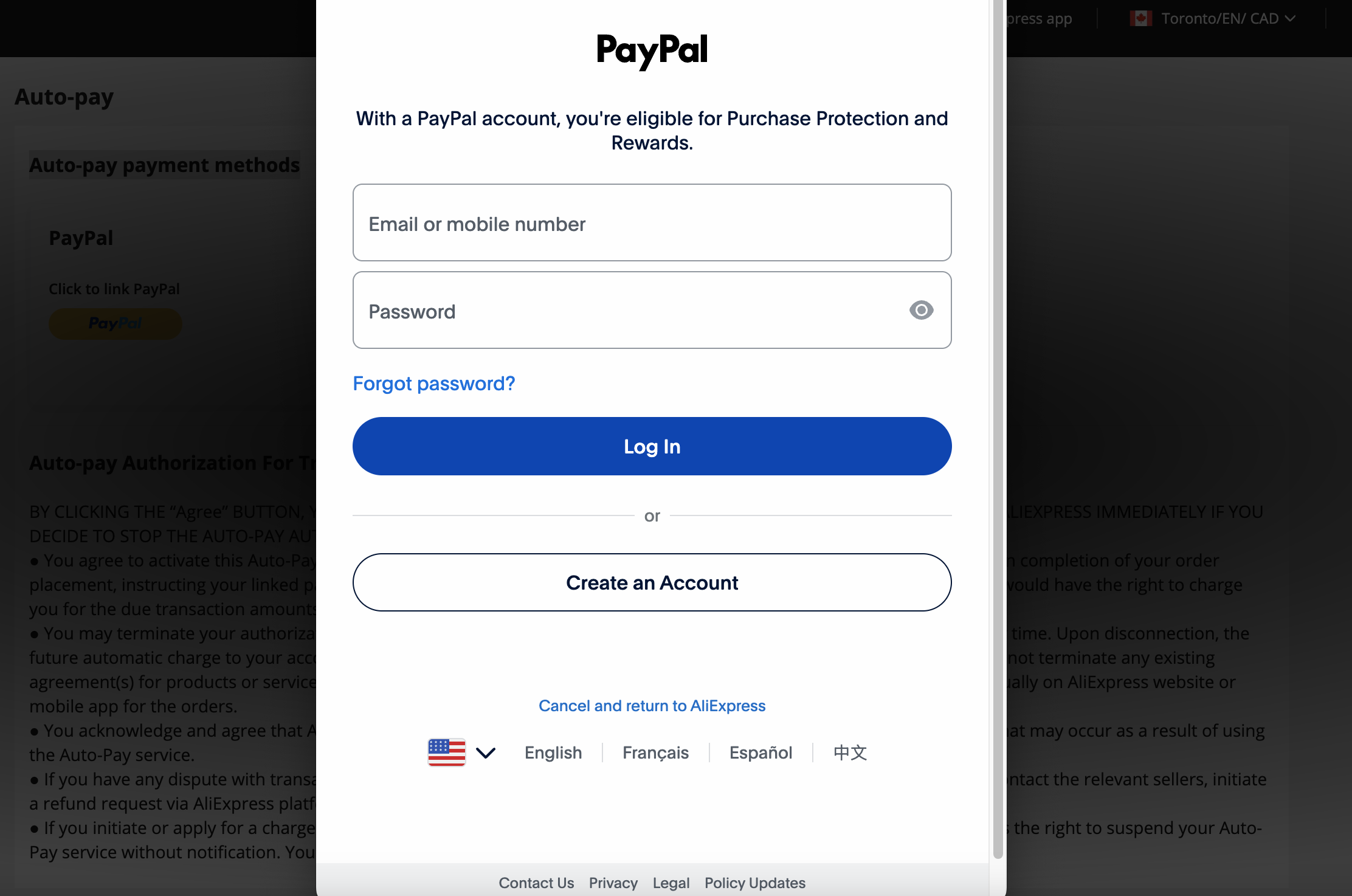
Step 4. Authorize Your Payment Method
Sign in to your payment provider and complete the authorization.
For PayPal, simply log in and approve the authorization request.
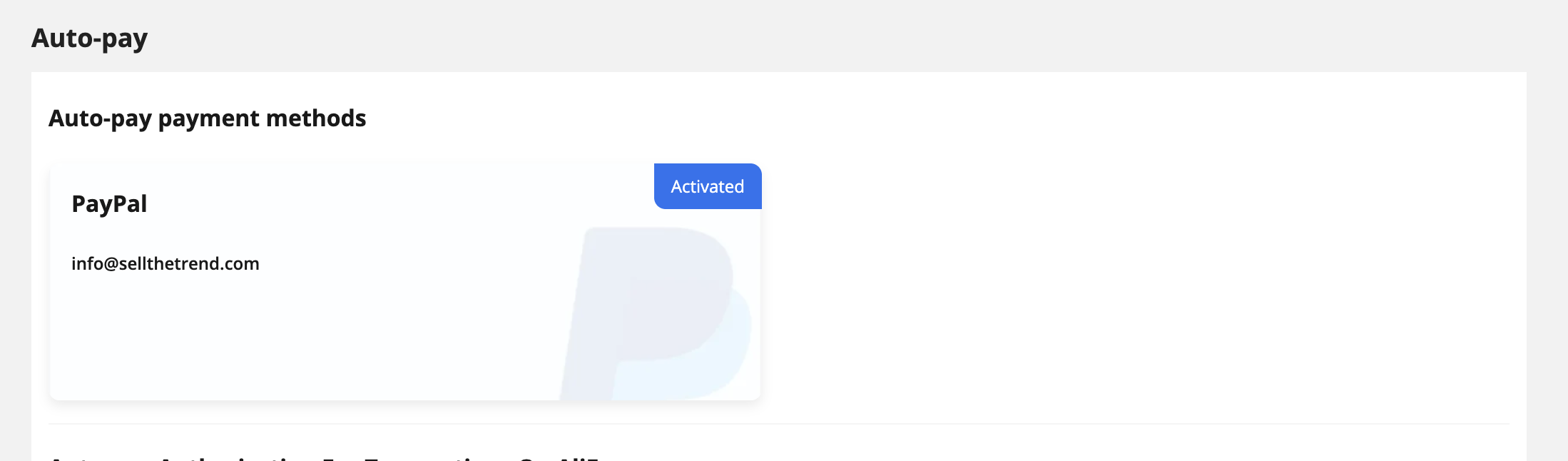
Step 5. Confirm AutoPay is Activated
Once authorization is complete, you should see your payment method marked as Activated.
This means AliExpress is now authorized to process future order payments.
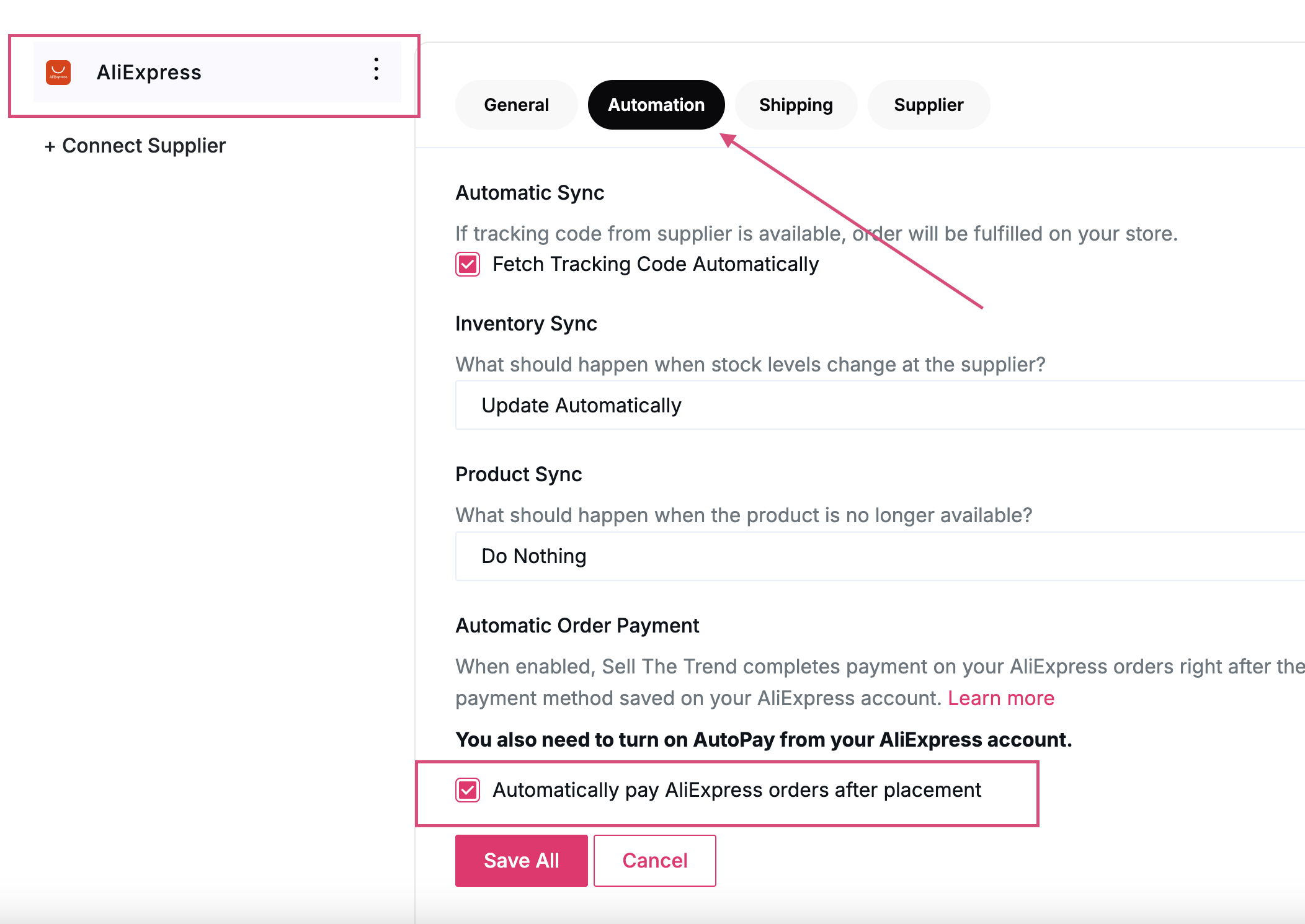
Step 6. Enable Automatic Order Payment in Sell The Trend
Now return to Sell The Trend.
Go to:
Left Menu → Store Manager Hub → Connections → My Suppliers
Select AliExpress from the supplier list.
Open the Automation tab.
Enable:
Automatically pay AliExpress orders after placement
Click Save All.
Paying Orders from Sell The Trend
Once everything is configured, fulfilling orders becomes much easier.
When a customer places an order and it is ready to be fulfilled, you’ll see the Pay For Order button inside your Orders page.

Simply click Pay For Order.
Sell The Trend will securely instruct AliExpress to charge the payment method you authorized during setup.
There is no need to open AliExpress or manually complete the payment yourself.
Troubleshooting AutoPay
If you’re unable to pay an order using Pay For Order, the error message below should help you identify the cause and resolve it.
AliExpress Order Was Not Found
What it means
Sell The Trend could not locate the corresponding order on AliExpress.
How to fix it
- Verify that the order was successfully placed on AliExpress.
- Wait a few moments and try again if the order was just created.
- Refresh your Orders page in Sell The Trend.
- If the problem continues, open the order on AliExpress to confirm it exists and was created under the connected AliExpress account.
Order Is Not Eligible for Payment
What it means
The order cannot be paid because it is no longer awaiting payment. This usually means the order has already been paid, has been cancelled, or is otherwise no longer eligible for AutoPay.
How to fix it
- Open the order on AliExpress and check its current status.
- If the order is already paid, no further action is required.
- If the order has been cancelled or expired, you’ll need to place a new order if you still wish to purchase the product.
Payment Failed
What it means
AliExpress attempted to charge your selected payment method, but the payment could not be completed.
How to fix it
- Confirm your payment method is still active.
- Make sure there are sufficient funds or available credit.
- Check with your payment provider (such as PayPal or your credit card issuer) to see if the transaction was declined.
- Log in to your AliExpress AutoPay settings and verify your payment method is still authorized.
- After correcting the issue, return to Sell The Trend and click Pay For Order again.
AutoPay Service Is Not Available on Your Account
What it means
Your AliExpress account is currently not enrolled in the AutoPay program. This feature is managed by AliExpress and may not yet be available for every account or region.
How to fix it
- Visit the AliExpress AutoPay page and see if the Apply option is available.
- Complete the AutoPay activation process if prompted.
- If you do not have the option to enable AutoPay, your AliExpress account may not currently support the feature.
- In the meantime, you can continue paying for orders manually through the AliExpress website.
Frequently Asked Questions
Do I still need an AliExpress payment method?
Yes. Sell The Trend does not process your payment directly.
Your payment is completed using the payment method you’ve authorized on your AliExpress account.
Does Sell The Trend store my payment information?
No.
Your payment details remain securely stored with AliExpress and your selected payment provider (such as PayPal). Sell The Trend only sends the payment request to AliExpress after you click Pay For Order.
Can I disable AutoPay later?
Yes.
You can disable automatic order payments at any time by:
- Turning off Automatically pay AliExpress orders after placement inside Sell The Trend.
- Removing or disabling AutoPay from your AliExpress account.
Which payment methods are supported?
The available payment methods are determined by AliExpress and may vary depending on your country or region.
When you visit the AutoPay page, AliExpress will display the payment methods available for your account.
Was this article helpful?
That’s Great!
Thank you for your feedback
Sorry! We couldn't be helpful
Thank you for your feedback
Feedback sent
We appreciate your effort and will try to fix the article