Before adding a product to your store, you can easily check whether it ships to your target country, how much shipping will cost, and the estimated delivery time.
Step 1: Select a Product
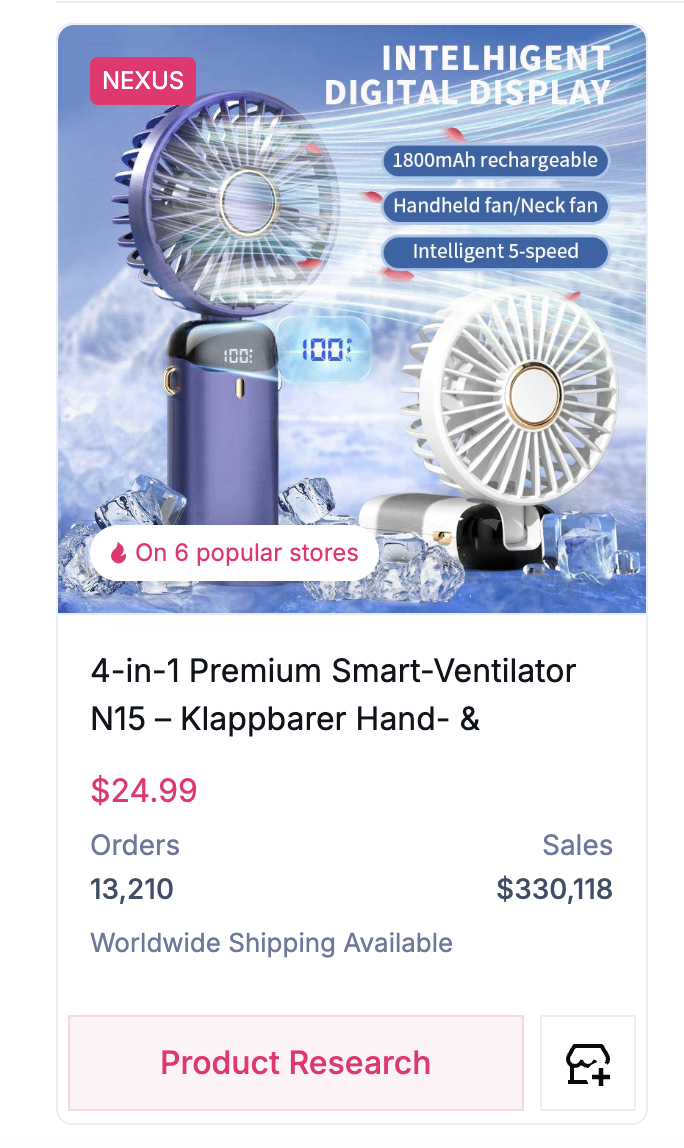
Browse products inside Sell The Trend and choose one you’re interested in.
Many products display Worldwide Shipping Available, indicating that the supplier offers shipping to countries around the world.
Step 2: Open the Product
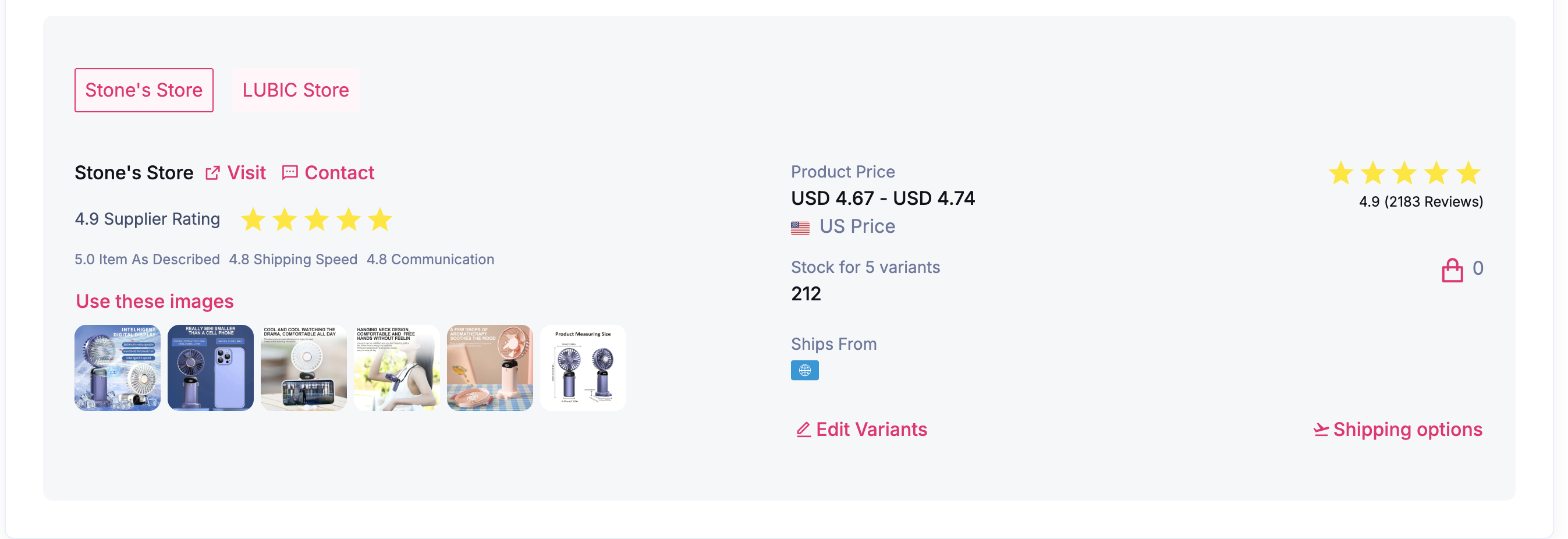
Click Add to Store to open the product details.
On the product page, scroll down to the supplier section and click Shipping Options in the bottom-right corner.
Step 3: Choose the Shipping Origin and Destination
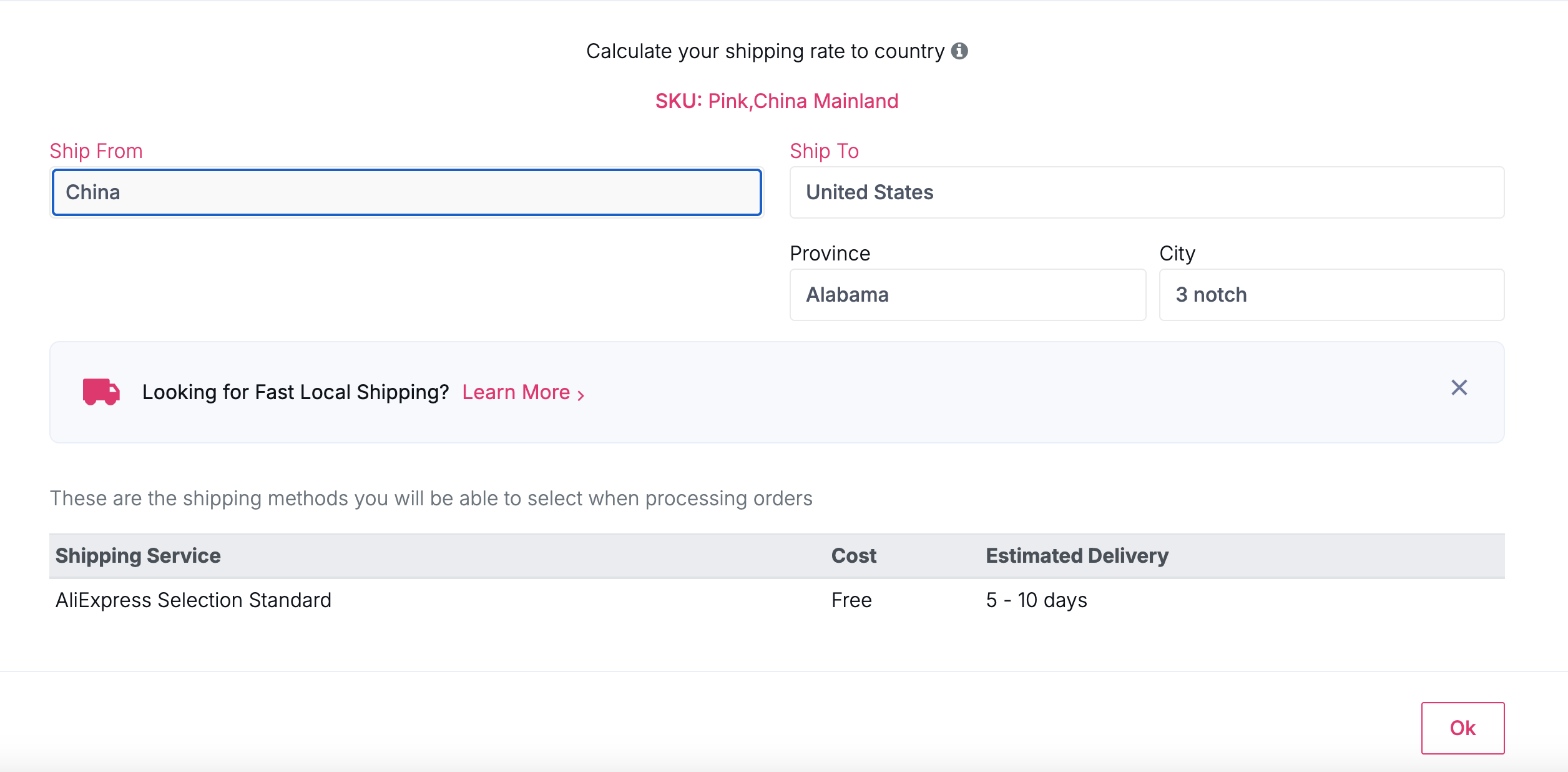
The Shipping Options window allows you to calculate shipping rates for different countries.
- Ship From(left): Select the warehouse location.
- For the widest selection of shipping destinations, choose China.
- If you’re looking for faster local shipping, select a local warehouse (when available).
- Ship To (right): Select the destination country where your customer is located.
Step 4: Review the Shipping Details
Once you’ve selected the shipping origin and destination, Sell The Trend will display:
- Available shipping methods
- Shipping cost
- Estimated delivery time
This helps you determine whether the supplier is a good fit for your target market before importing the product.
Step 5: Check Other Countries
You can repeat this process for any destination country you’d like to sell to.
Simply change the Ship To country to instantly view the available shipping methods, costs, and estimated delivery times for that market.
Tip
If your goal is to reach the largest number of countries, selecting China as the Ship From location will typically provide the most shipping options.
If you’re targeting a specific country and want faster delivery, look for suppliers with local warehouses in that region by selecting the appropriate Ship From country.
Was this article helpful?
That’s Great!
Thank you for your feedback
Sorry! We couldn't be helpful
Thank you for your feedback
Feedback sent
We appreciate your effort and will try to fix the article