This guide will walk you through how to import reviews and display Viva Reviews widgets on your Shopify product pages.
Step 1: Import & Publish Reviews
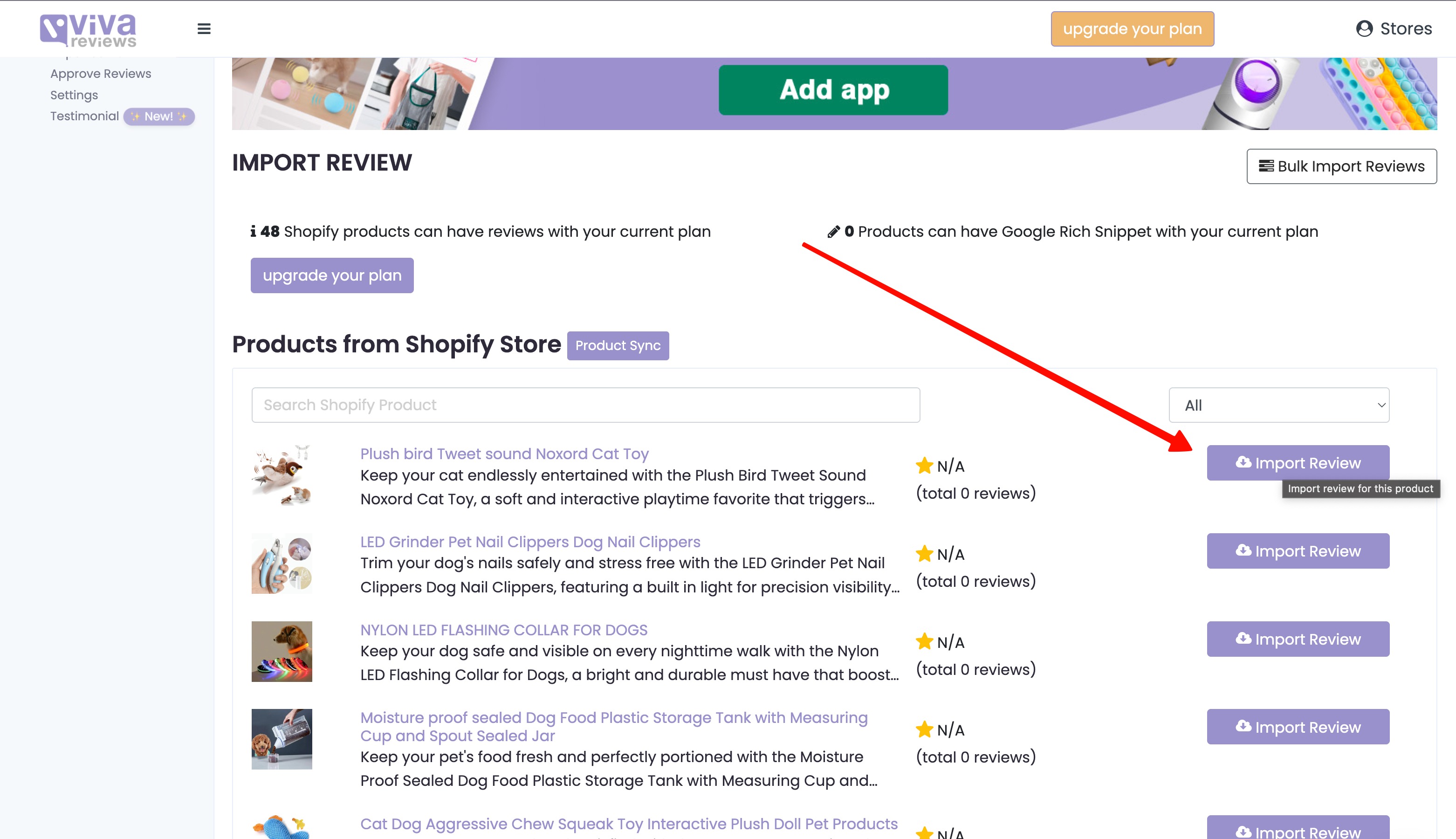
First, import reviews into your Viva Reviews dashboard.
A. Import Reviews
- Open your Viva Reviews Dashboard
- Import reviews for your products
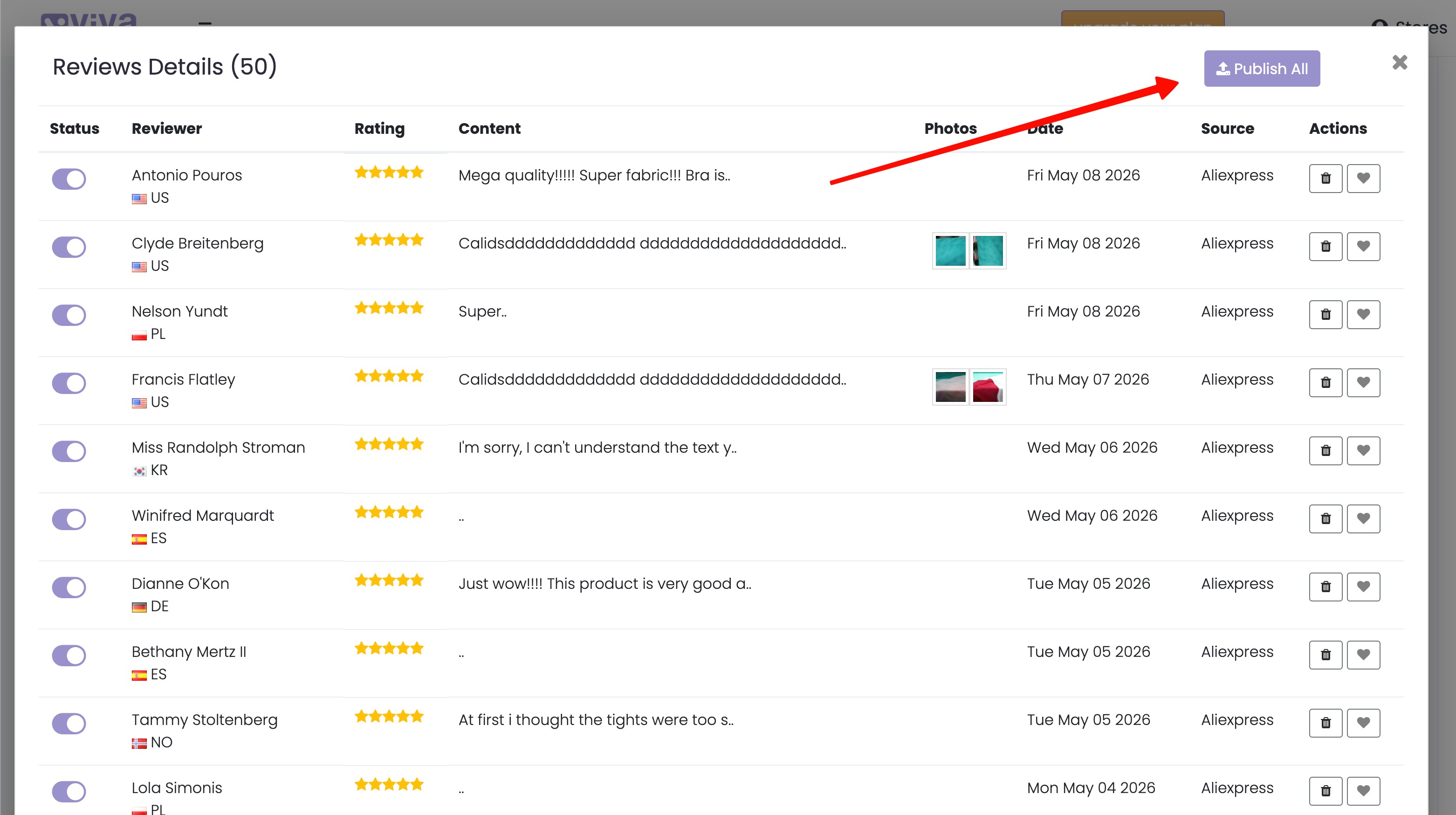
B. Publish Reviews
Imported reviews are usually published automatically.
However, if you edit or modify reviews manually, you may need to publish them yourself.
- Go to your imported reviews
- Click Publish if needed
Step 2: Enable Viva Reviews in Your Shopify Theme
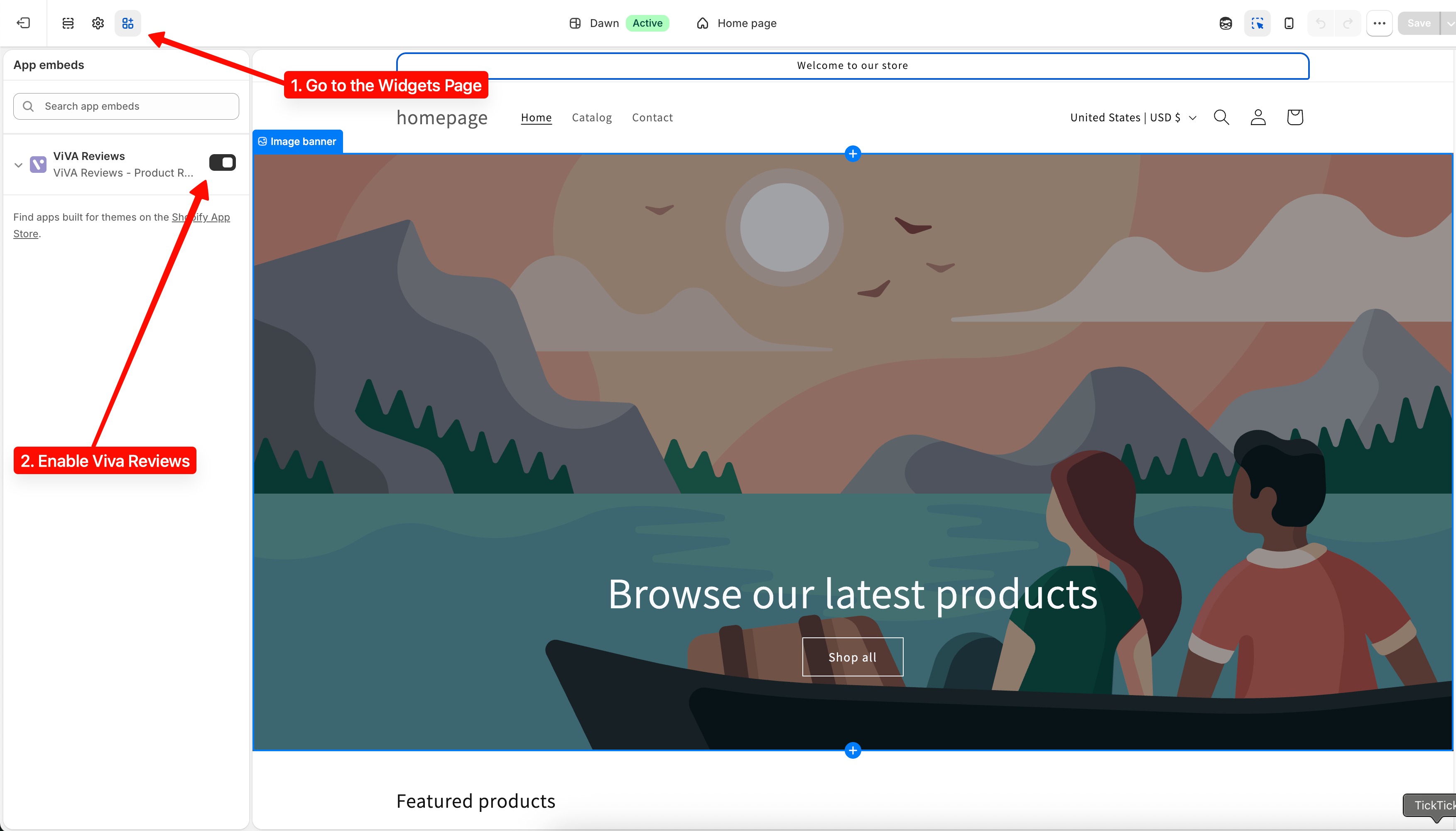
Next, make sure the Viva Reviews app widgets are enabled in your current Shopify theme.
- Open your Shopify Admin
- Go to Online Store → Themes
- Click Customize on your active theme
Make sure Viva Reviews app embeds/widgets are enabled.
Step 3: Add Review Stars to Product Pages
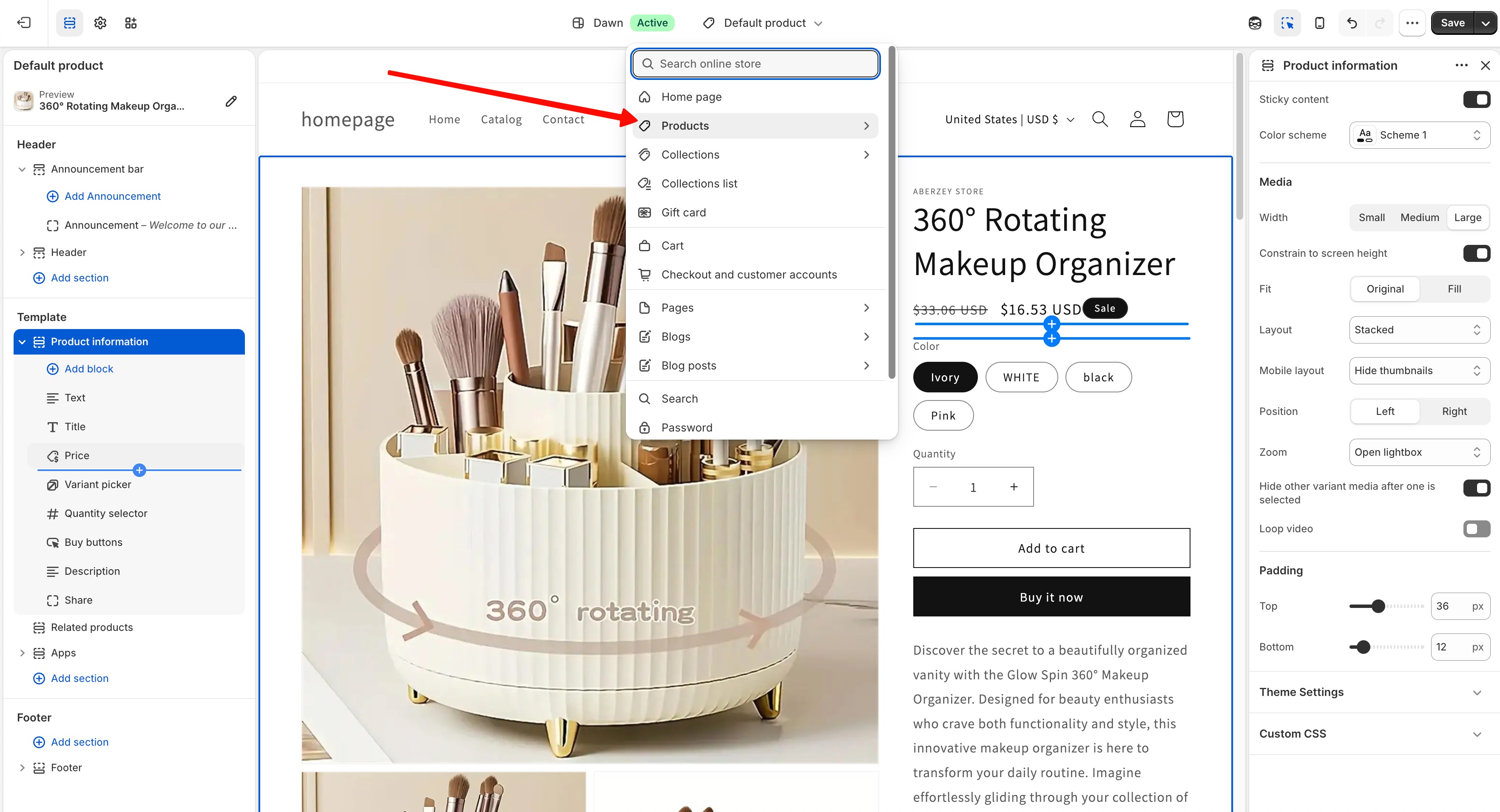
A. Open Your Product Template
Inside the Shopify Theme Editor:
- Go to a Product Page
B. Add the Viva Reviews Stars Widget
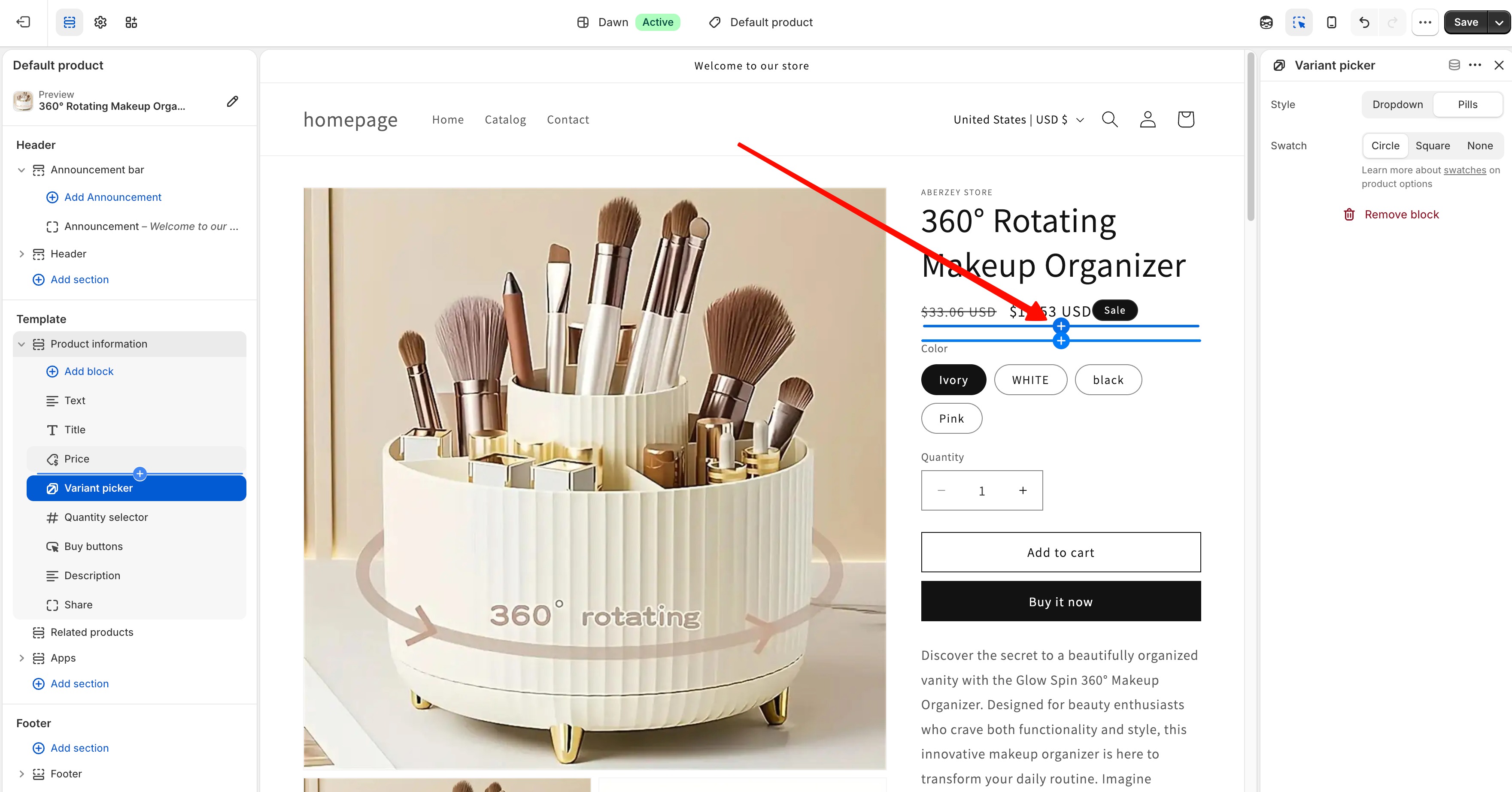
- On the product card/template, click the “+” Add Block icon
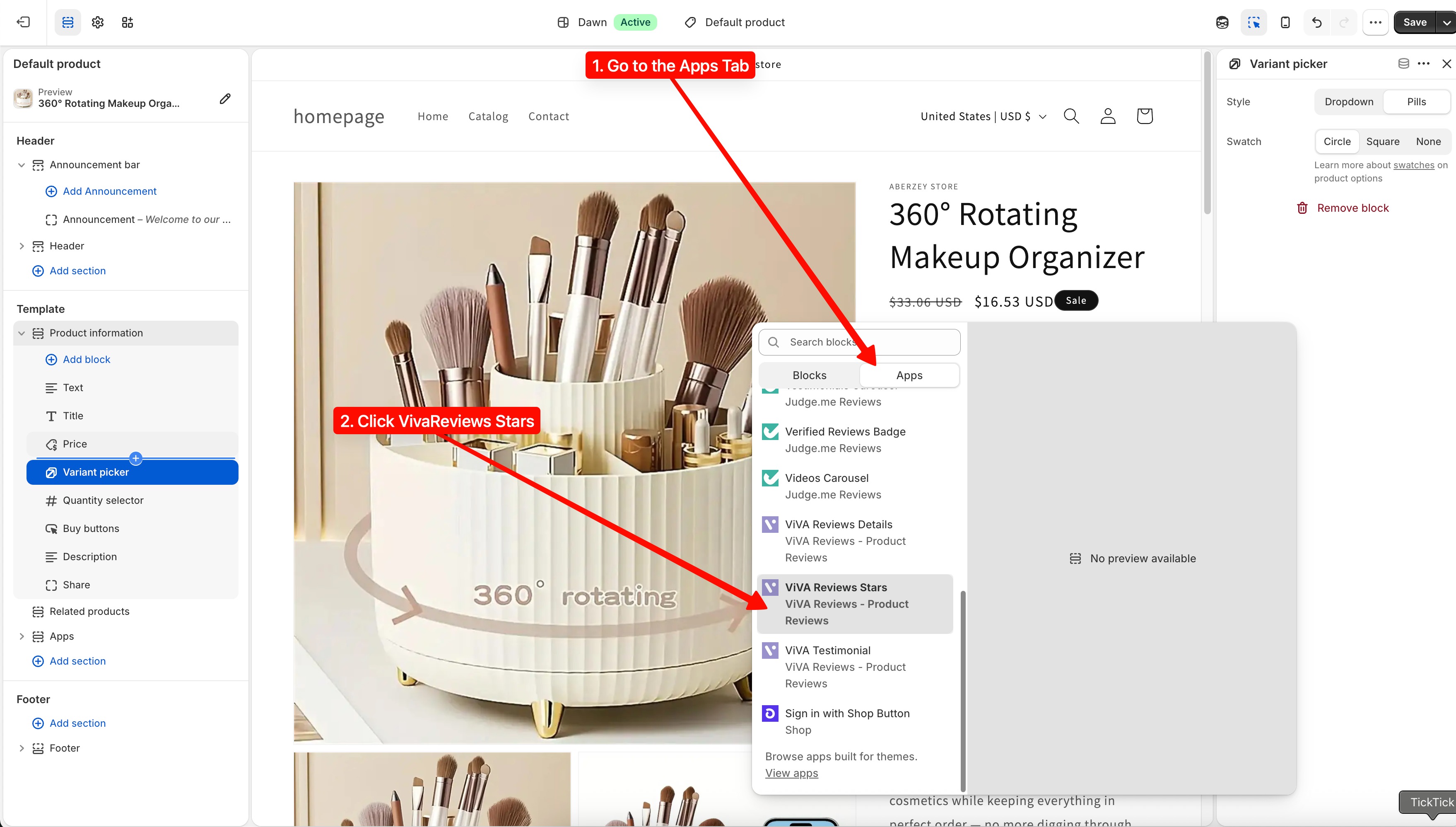
- Open the Apps tab
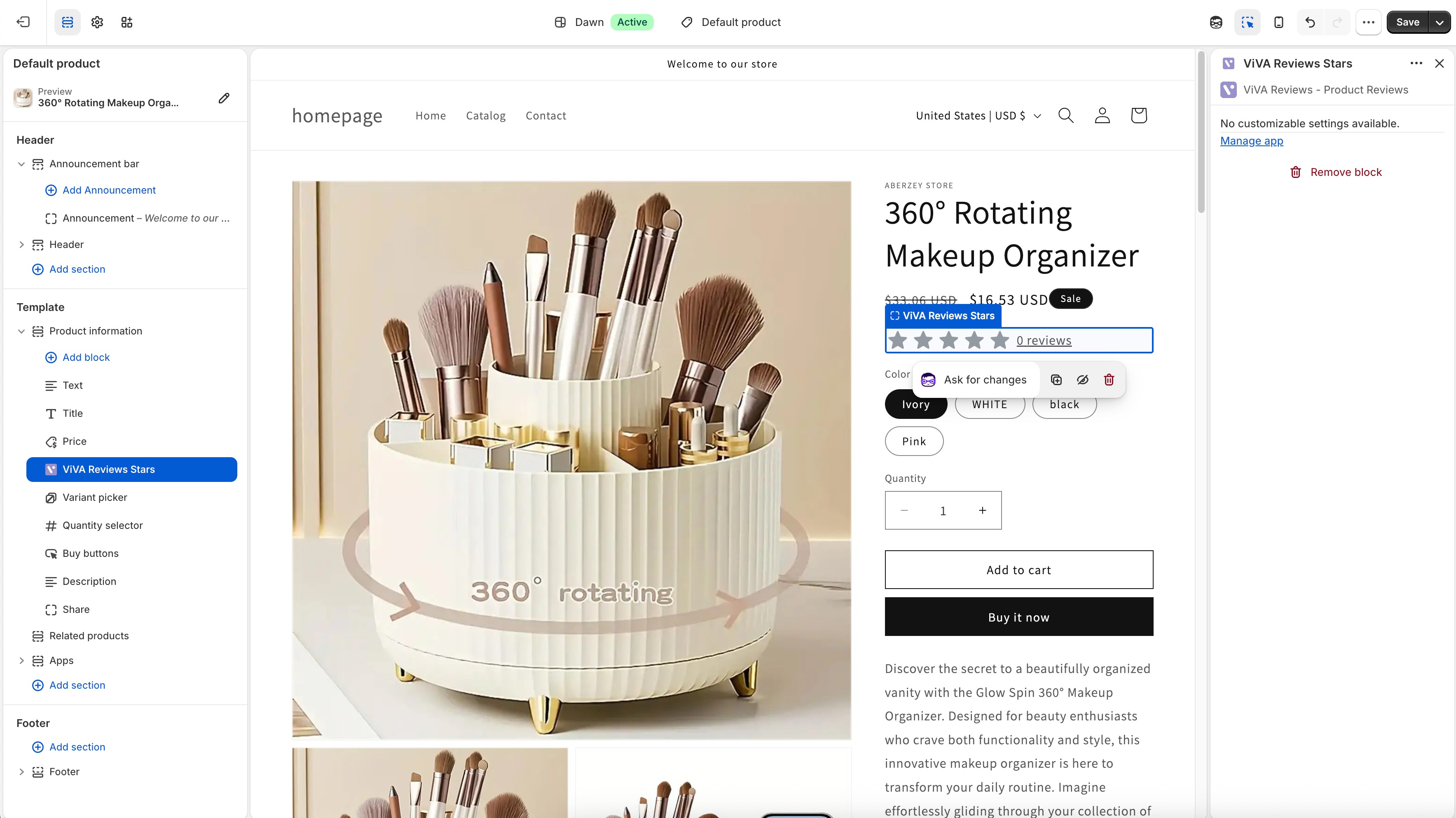
- Select “VIVA Reviews Stars”
The review stars will now appear on your product page ?
Step 4: Add Full Review Details Section
To display the complete review section:
A. Add a New Section
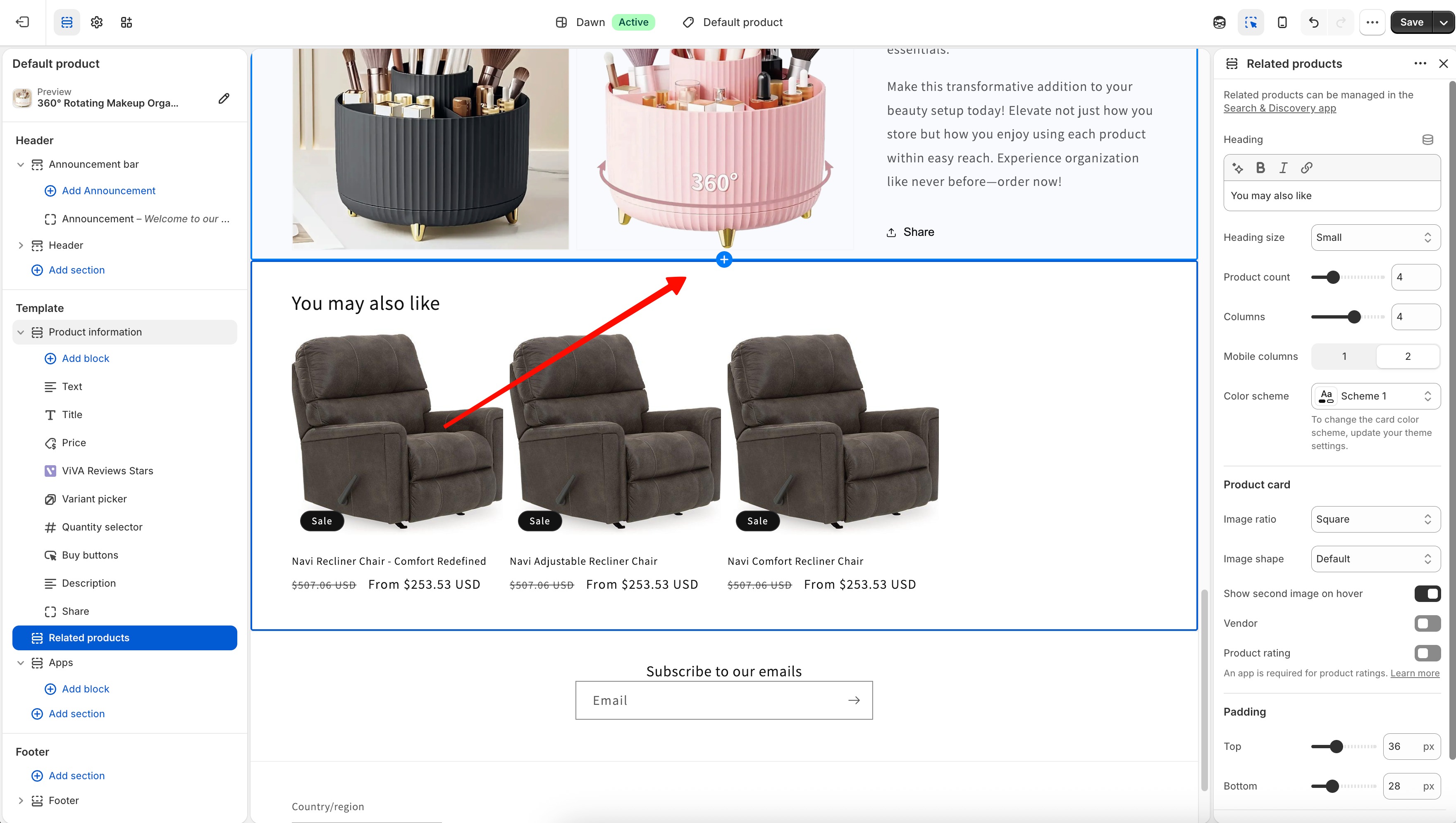
- In the Theme Editor, click Add Section below the product section
B. Select Viva Reviews Details
- Choose “VIVA Reviews Details”
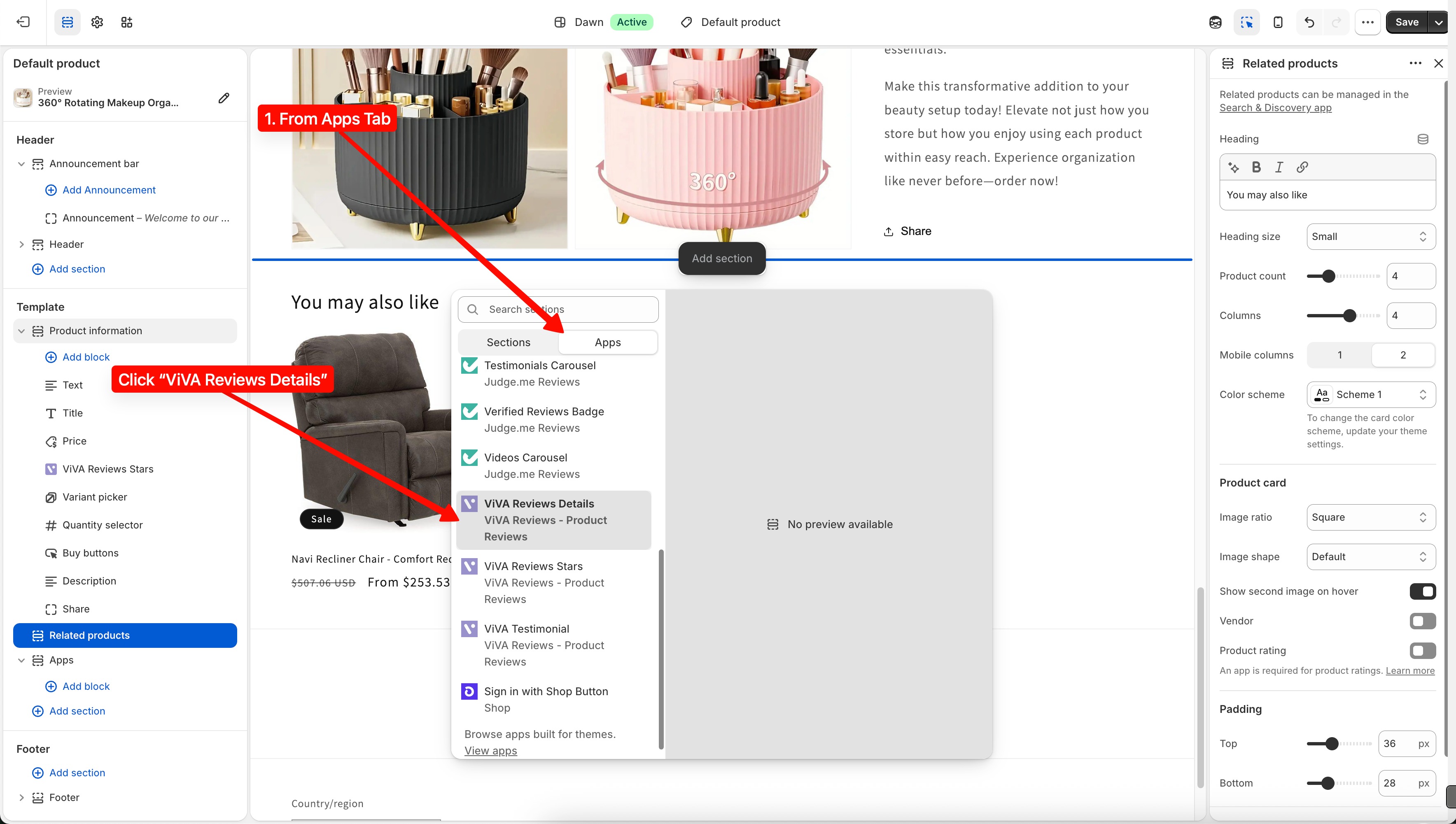
C. Save Changes
- Click Save
Done ?
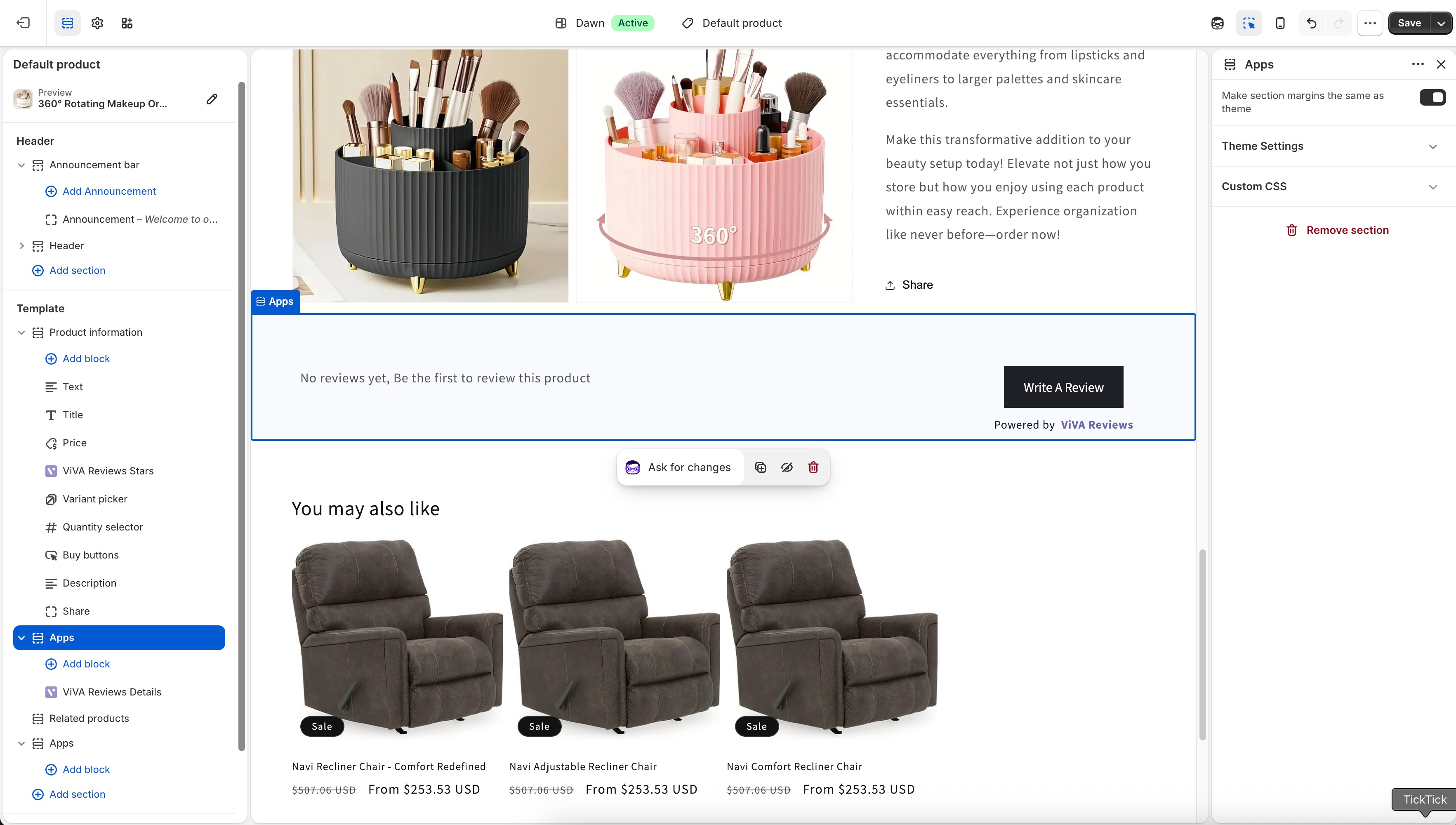
Final Result
Your Shopify product pages will now display:
- ⭐ Viva Reviews star ratings
- ? Full customer reviews for imported products
If a product has no reviews yet, customers will simply see:
“No reviews yet”
Important: If you change your theme, you would have to redo the steps that enable the ViVA Reviews app in the theme editor.
Was this article helpful?
That’s Great!
Thank you for your feedback
Sorry! We couldn't be helpful
Thank you for your feedback
Feedback sent
We appreciate your effort and will try to fix the article
