Sell The Trend makes it easy to discover products that are popular in specific countries using the Top Customer Countries filter.
This is a great way to research products that are already gaining traction in the markets you want to sell to.
Step 1: Open NEXUS or the AliExpress Explorer
Navigate to either:
- NEXUS Explorer
- AliExpress Explorer
Both explorers include the Top Customer Countries filter.
Step 2: Open More Filters
Click the More Filters button to open the advanced search options.
Step 3: Select Your Target Country
Under Top Customer Countries, choose the country you want to research.
Examples include:
- United States
- United Kingdom
- Canada
- Australia
- Ireland
- And many more.
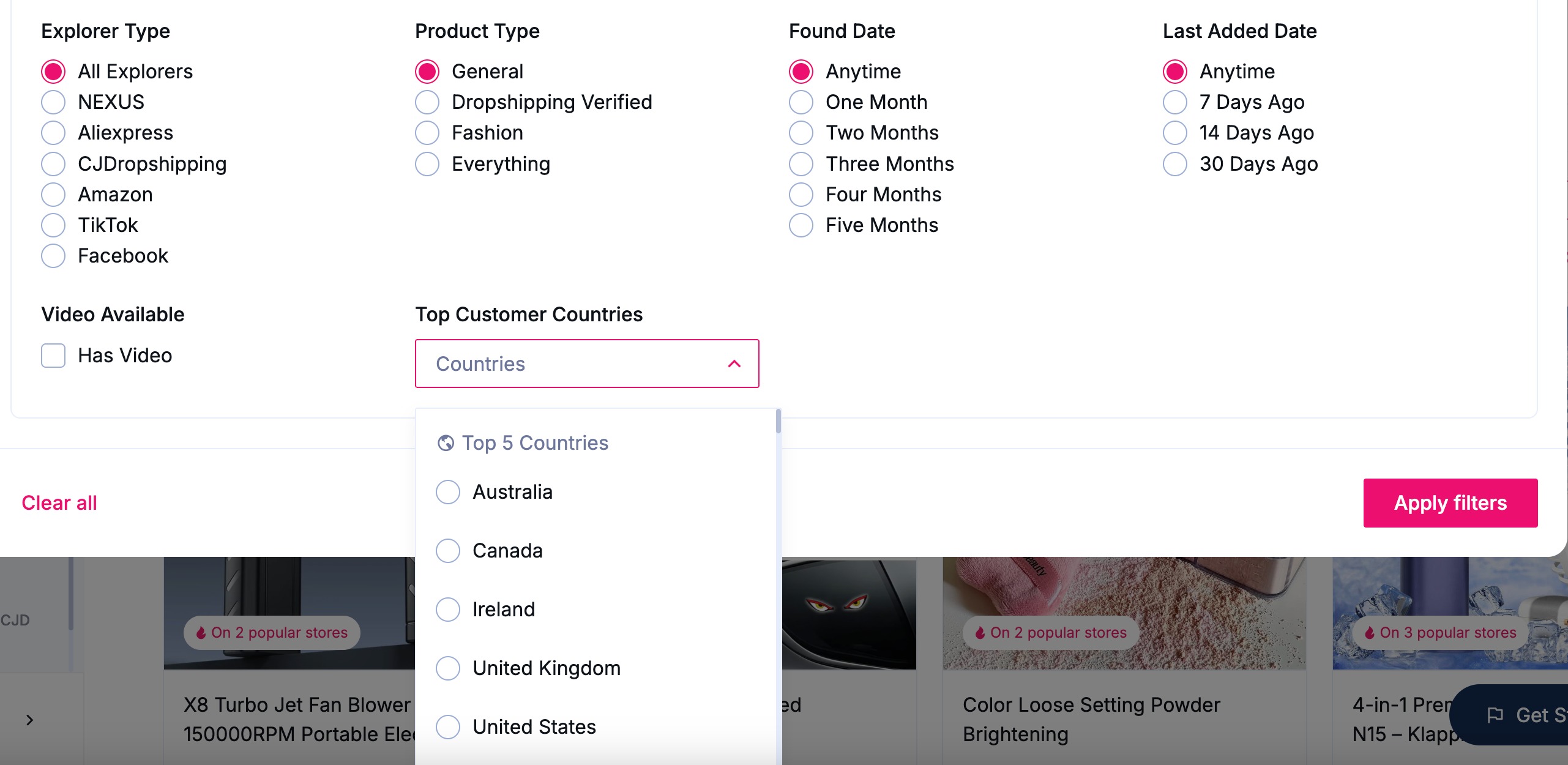
Step 4: Apply the Filters
Click Apply Filters.
Sell The Trend will now display products that are trending with customers in your selected country.
Why Use the Top Customer Countries Filter?
This filter helps you:
- Find products that are already popular in a specific country.
- Discover market-specific trends before your competitors.
- Research products for your target audience.
- Build stores focused on a particular region or country.
For example, if you’re selling primarily to Australia, simply select Australia under Top Customer Countries to see products that are performing well in that market.
Tip
You can combine the Top Customer Countries filter with other filters such as:
- Product Category
- Explorer Type
- Found Date
- Last Added Date
- Video Available
This allows you to narrow your search even further and uncover highly targeted product opportunities for your chosen market.
Was this article helpful?
That’s Great!
Thank you for your feedback
Sorry! We couldn't be helpful
Thank you for your feedback
Feedback sent
We appreciate your effort and will try to fix the article